XImage Review: Free Browser-Based Image Tools That Actually Respect Your Privacy
A hands-on review of XImage — a free online image toolkit that compresses, converts, resizes, crops, and removes backgrounds entirely in your browser. No uploads, no sign-ups.
If you’ve ever needed to quickly compress an image, convert a PNG to WebP, or slap a watermark on a photo, you’ve probably ended up on one of those sketchy image tool websites — the kind that uploads your files to God-knows-where, plasters watermarks on your output, and gates basic features behind a paywall.
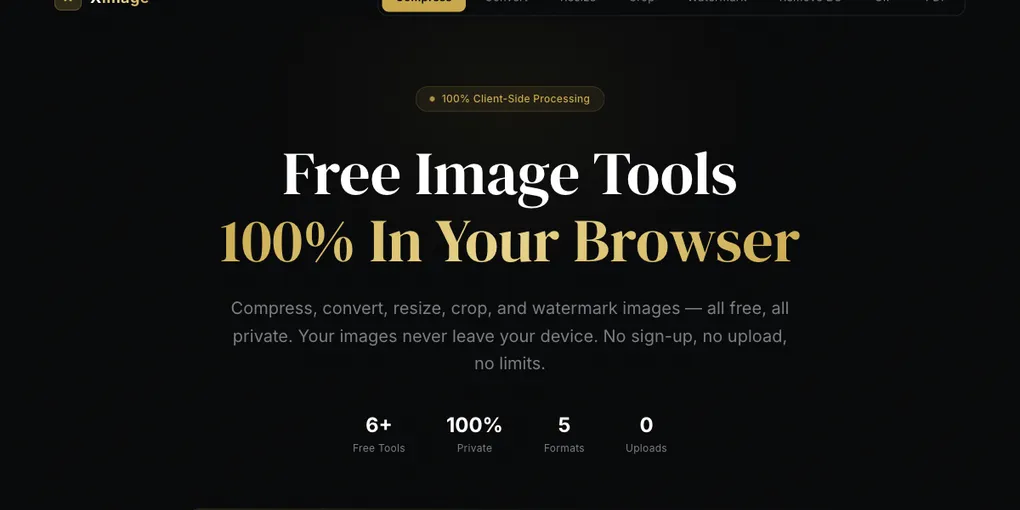
XImage takes a fundamentally different approach: everything runs 100% in your browser. Your images never leave your device. And it’s completely free.
I spent some time putting it through its paces. Here’s my honest take.
What Is XImage?
XImage is a collection of image processing tools that runs entirely client-side using modern browser APIs — Canvas API, Web Workers, and WebAssembly. There’s no backend server processing your images. When you drop a file into XImage, it stays on your machine the entire time.
The tool suite includes:
- Image Compressor — Reduce file size with adjustable quality
- Image Converter — Convert between PNG, JPEG, WebP, and AVIF
- Image Resizer — Resize to exact dimensions
- Image Cropper — Crop with preset ratios or freeform
- Watermark Tool — Add text watermarks with custom styling
- Background Remover — AI-powered background removal
- GIF Editor — View, delete, and rearrange GIF frames
- Image to PDF — Combine multiple images into a PDF
- PDF to Image — Extract PDF pages as images
That’s 9 tools in one place — all free, no account required.
The Good
Privacy First, For Real
This isn’t just marketing speak. XImage genuinely has no upload mechanism. Open your browser’s network tab while using it — you’ll see zero image data leaving your device. In an era where every “free” tool is secretly harvesting your data, this is refreshing.
Smart Auto-Compression
The compressor doesn’t just slap a quality slider on JPEG encoding. It tries multiple codecs (JPEG, WebP, AVIF, PNG) and multiple quality levels, then hands you whichever combination produced the smallest file with acceptable visual quality. This “Auto” mode is genuinely clever and often beats manual tuning.
Batch Processing
You can drag up to 50 images at once. A worker pool processes them in parallel, and you can download results individually or as a ZIP. For someone who regularly needs to process batches of screenshots or product photos, this is a huge time saver.
Zero Friction
No sign-up. No email confirmation. No “free trial.” Open the page → drop your files → get results. The tool is ready the instant you arrive. This is how software should work.
The UI Is Clean
The dark theme looks modern and professional. Navigation between tools is clear — one click in the top nav and you’re in a different tool. The drop zone is large and obvious. Settings (output format, quality, max width) are right there, not buried in menus.
The Not-So-Good
No Undo/History
Once you process an image, there’s no way to go back and try different settings without re-dropping the original file. A comparison view (before/after slider) would be a nice addition.
Background Remover Quality
The AI background removal works, but it’s not quite at the level of dedicated tools like remove.bg. Complex edges (hair, fur, semi-transparent objects) can be hit-or-miss. For clean product shots on simple backgrounds, it works great. For complex scenes, manage your expectations.
Limited Editing Features
XImage is a processing toolkit, not an editor. There’s no drawing, text overlay (beyond watermarks), or filters. If you need Canva-level editing, look elsewhere. But that’s by design — XImage does a focused set of things well.
Who Is This For?
- Bloggers and content creators who need to compress and resize images before uploading
- Developers who want a quick way to convert between image formats
- Privacy-conscious users who don’t want to upload personal photos to random servers
- Anyone in a hurry who needs to process images without creating yet another account
The Verdict
XImage nails the fundamentals: it’s fast, private, free, and genuinely useful. The auto-compression alone makes it worth bookmarking. It won’t replace Photoshop or Figma, but for the 90% of image tasks that are “make this smaller” or “change this format,” it’s the best free option I’ve found.
Rating: 4.5 / 5
The half-star deduction is for the lack of before/after comparison and the limited background remover. But for a free, no-sign-up tool that respects your privacy? This is excellent.
👉 Try it yourself: image-x.de5.net